 Spectra
Spectra shows which program on your Windows computer talks to the internet, where its data goes and which country it reaches. Block that program or address in one click, and the block stays after a restart.
Windows 10 and 11, 64-bit · The monitor is free · Pro is one payment per computer
The traffic of each program over 24 hours, the global map of the connections, the firewall per application, the log archive and the scanner of the local network, in one window.
Transcript: Spectra shows which program on your Windows computer connects to the internet, where its data goes and which country it reaches. The traffic graph shows each program over the last 24 hours. The global map shows each connection flow. The firewall shows the status of every program, inbound and outbound. The log archive is searchable by field and exports to CSV and CEF. The scanner lists the devices of your local network.
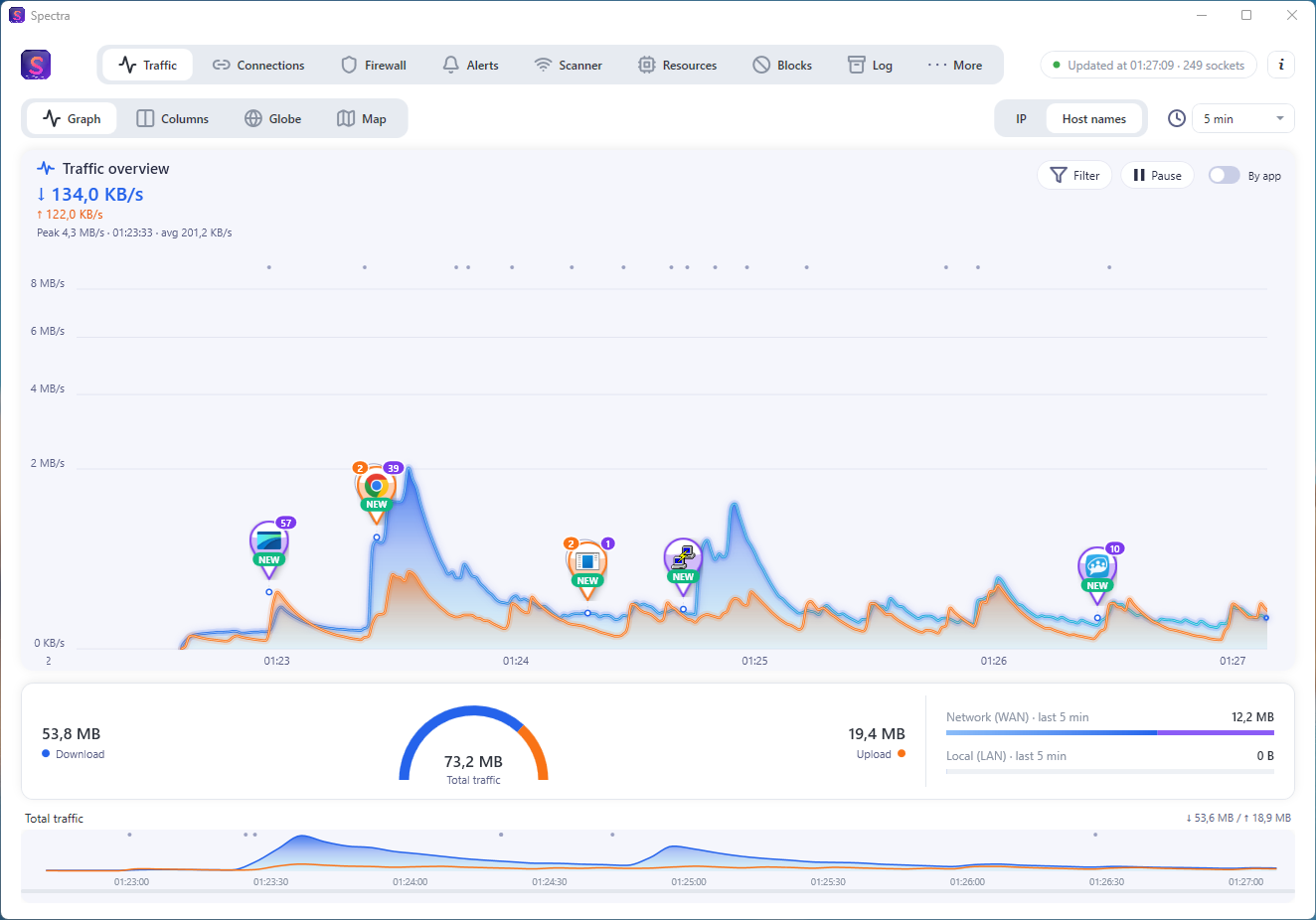
A graph of download and upload for each program over the day. Peaks are marked on the timeline, so you see when a program started to send data.
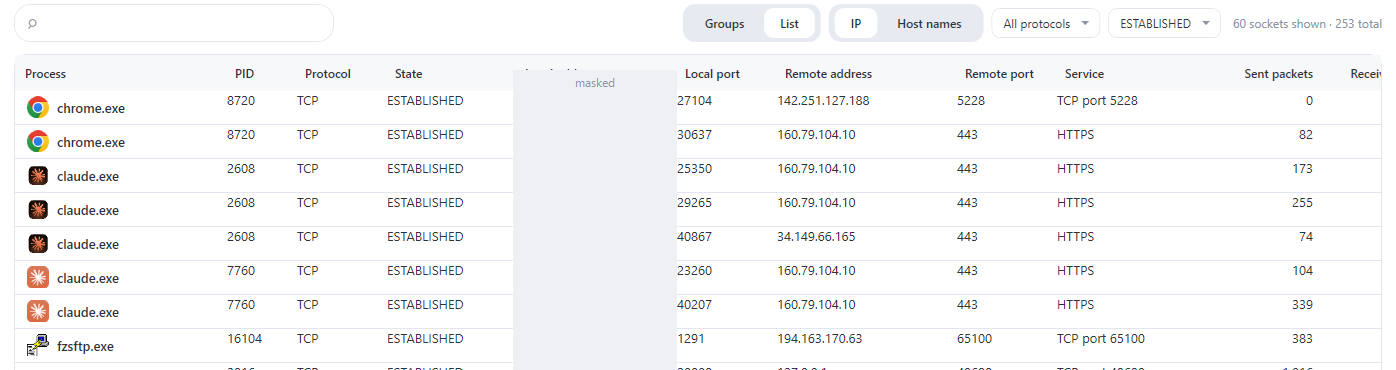
Each TCP and UDP connection, with its process, state, service and remote address. Filter by program, address, port, protocol or state.
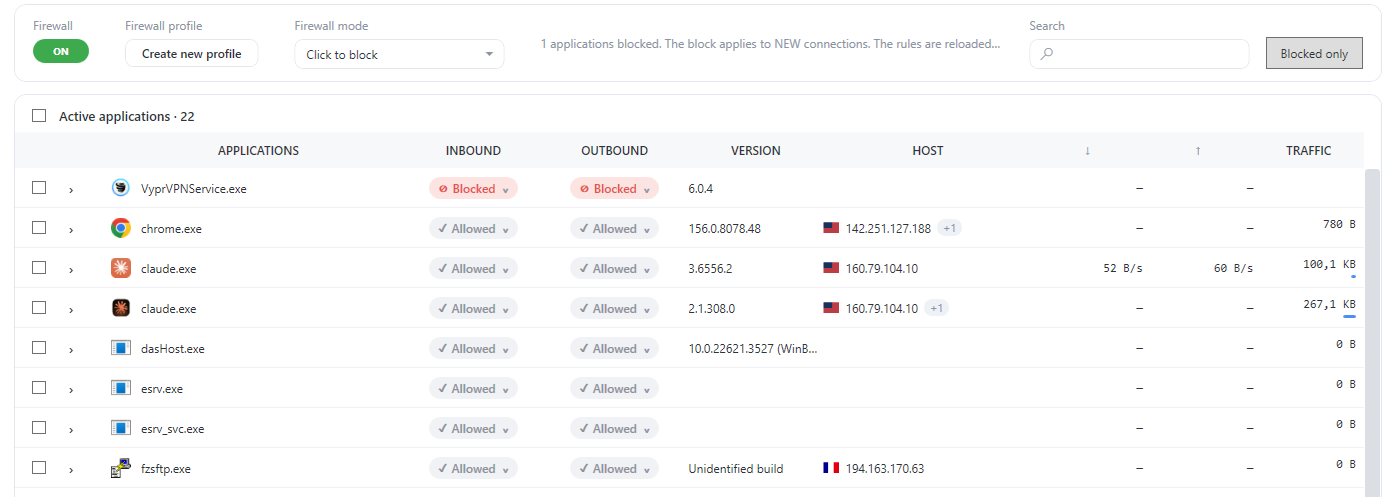
The status of every program, inbound and outbound, in one table. Rules are saved in Windows Firewall and applied again at every start.
The Alerts tab puts what needs your attention at the top: security warnings and risks on the local network come before the first connection of each program.

Every connection, alert and block is kept in a daily archive that is compressed. On a test computer, one archived day went from 870.7 KB of text to 73.1 KB: 92% saved.

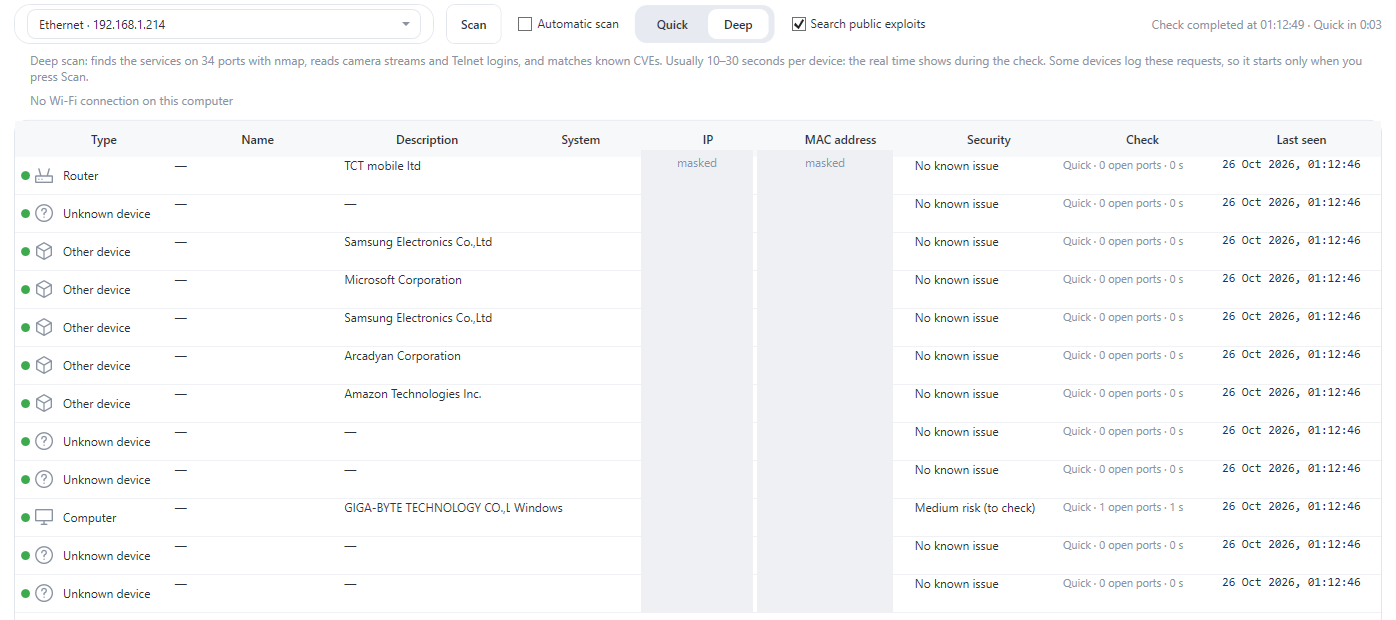
Spectra lists the devices of your network and classifies them: router, computer, printer, device with open services. A scan takes seconds and changes nothing on the network.
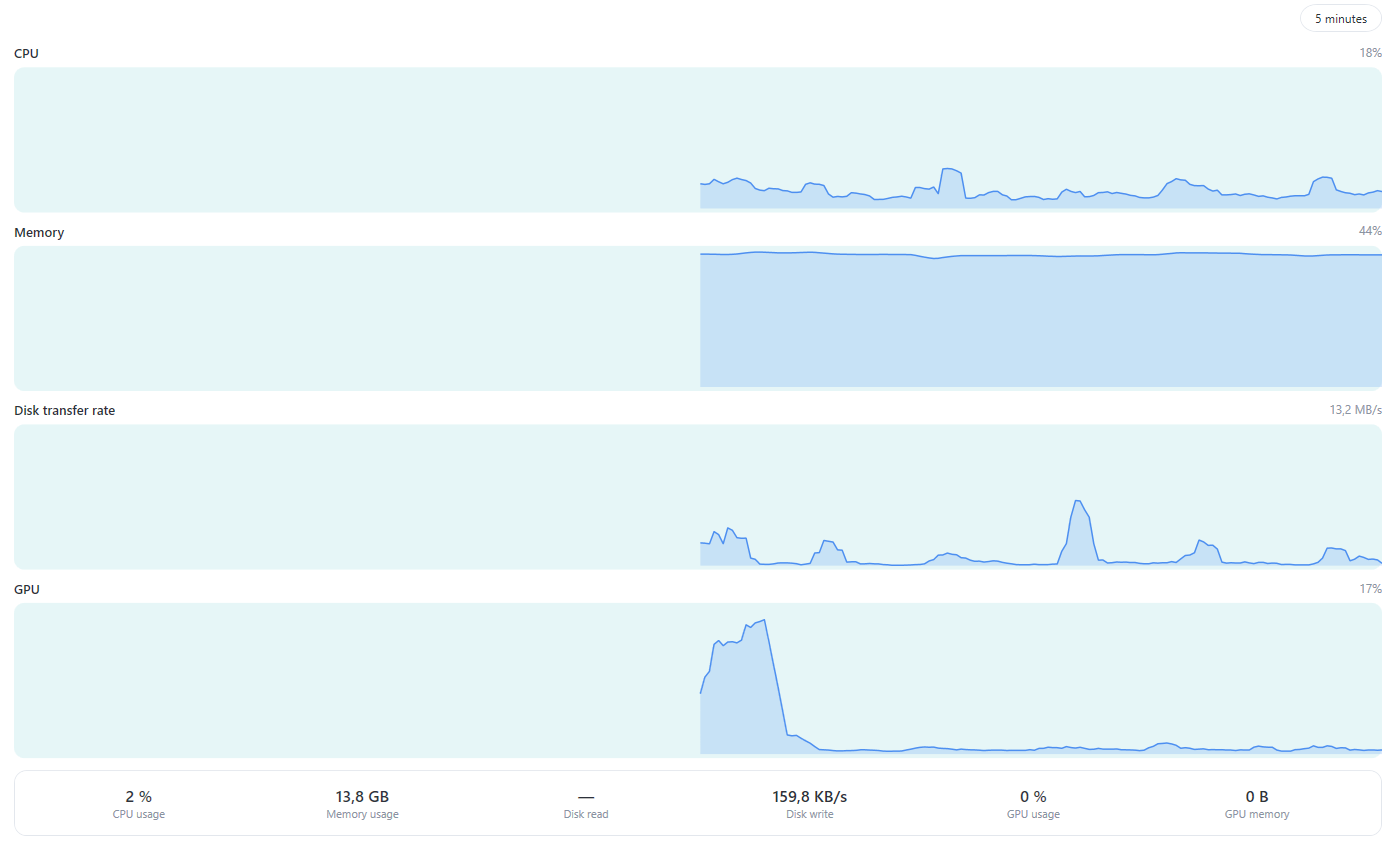
CPU, memory, disk and GPU over the last five minutes, so you can tell a busy computer from a busy connection.
Ask in plain language: are there anomalies in this session, what is that program talking to, what should I check. The assistant reads the alerts, programs, connections and blocks, and advises. It never blocks anything: the decision stays with you.
The monitor is complete in the free version. Pro adds the parts that act on the network and the parts that explain it.
For as long as you want
Per computer. No subscription.
| Feature | Free | Pro |
|---|---|---|
| Live traffic per program, graph, globe and map | ✓ | ✓ |
| Every connection with its process | ✓ | ✓ |
| Alerts and port-scan detection | ✓ | ✓ |
| Scanner of the local network and resources view | ✓ | ✓ |
| Firewall per application, inbound and outbound | — | ✓ |
| Blocks by address, range and domain | — | ✓ |
| Security options of the network | — | ✓ |
| Log archive: search, CSV and CEF export, integrity check | — | ✓ |
| AI assistant on your data (up to 300 questions a month) | — | ✓ |
Spectra is built to show your network, not to collect it. Here is exactly what leaves the computer, and what does not.
Yes. The monitor is free: live traffic per program, graph, globe, map, connections, alerts, the LAN scanner and the resources view. Pro adds the firewall, blocks, log archive and AI assistant, for one payment per computer.
The free version works entirely on your computer. The Pro assistant sends your question and a summary of the session to the MZGuard licence server, which forwards it to the AI model. The server does not store the conversation.
Yes. The byte counters and the firewall need them, so Spectra asks for them when it starts. Only one copy runs at a time.
One computer. The key is bound to the computer where it is activated.
Pro keeps working offline for about two months after the last renewal. After that Spectra returns to the free version until the computer is back online.
Yes. Firewall rules and network blocks are saved and applied again when Spectra starts. A block on a domain follows its address, which is checked again every 15 minutes.
Yes. End connection closes that TCP socket with a reset, and the program keeps running. End process closes the whole application, after a warning about unsaved changes.
Windows 10 and Windows 11, 64-bit. Spectra is self-contained: it does not need a separate .NET installation.
Download Spectra free. Unlock the firewall, the blocks and the log archive when you need them.